

BLOODMONEY!

Dead Plate

Elevator Hitch

Idle Breakout

LOVEMONEY!

My Buddy

Sort The Court: Royal Builder












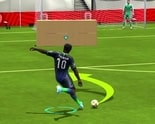











In Five Nights In Anime Remastered you start with full control of the animatronics instead of a locked office door, which matters because it flips the premise the standard FNAF-style survival formula built its reputation on. There’s no guard counting to six in the morning here; you’re moving Freddy, Bonnie, Chica, and Foxy across the map, and the game is built entirely around that reversal.
The usual formula puts a player behind a desk, checking cameras and slamming doors to keep animatronics out. This game removes that pressure and hands you the animatronics instead, turning a threat to react to into characters you actively direct. Nothing here punishes you for moving Freddy into the office; that’s the entire point of the camera system now.
That shift changes what the community values about it. Instead of trading jump-scare stories, players trade clips of positioning or timing tricks, since there’s no fail state pushing anyone toward one correct strategy.
It’s a small idea with a big effect on how the game gets played, separating it from other FNAF-style survival games.
Moving an animatronic means holding a key, right-clicking the camera feed you want as a destination, then left-clicking to confirm. It’s a little fiddly the first few tries, since the game doesn’t walk new players through the exact order before dropping them into the camera grid.
Beginners often skip the hold-key step, clicking cameras directly and wondering why nothing moves. Once the combination clicks, positioning Freddy or Chica across rooms takes well under a minute.
Foxy doesn’t follow the right-click routine the rest of the cast uses. Moving him means heading to the East Hallway camera and interacting with the marker labeled YOU, which represents the office itself rather than a normal camera feed.
That inconsistency trips up players who assume every animatronic shares one scheme, and it’s a debated design choice among people who’ve spent real time with the game. Some see it as a nod to Foxy’s original run-down-the-hall behavior; others just call it inconsistent.
Either way, once you know the East Hallway trick, Foxy stops being the animatronic everyone gets stuck on.
Holding Ctrl or Shift triggers special events on top of basic positioning, including sudden close-up scares and short illusion effects most new players never discover, since nothing on screen hints they exist. Finding them by accident is a common first reaction described in fan discussion.
These effects don’t do anything mechanical, since there’s no health bar to protect, but they turn positioning into something closer to a directed scene. Players who enjoy scene-building lean on Ctrl and Shift constantly; players who just want to test camera movement rarely touch them.
By the time you’ve combined a Freddy close-up with a Chica illusion effect in the same feed, the two systems clearly were built to be layered together.
Once the control scheme is second nature, the appeal shifts entirely toward experimentation. There’s no wrong way to position four animatronics across a map with no survival stakes attached, and that openness divides opinion: some players find the lack of structure liberating, others miss having any goal beyond arranging a scene.
Genre veterans notice the absence of tension first, since checking a camera here carries none of its usual dread. Newer fans care less about that comparison and more about what they can stage.
Five Nights In Anime Remastered isn’t trying to scare anyone in the traditional sense, and once Foxy’s East Hallway trick and the Ctrl-and-Shift effects are second nature, what’s left is a creative toy built out of a horror formula turned inside out.
