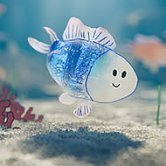
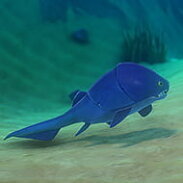
You sketch a round body, a triangle for a tail, and a dot for an eye, and the scribble starts swimming around the tank as if it always belonged there. That moment is the whole pitch of Drawquarium, a cozy sandbox where the residents start as something you drew yourself and the game never grades your drawing skills.
| Genre |
Cozy aquarium sandbox |
| Core activity |
Drawing fish, plants, and props |
| Care loop |
Feeding, cleaning, and raising fish |
| Special feature |
Desktop Wallpaper Mode |
Drawing Your First Fish in Drawquarium
The fish editor is a simple paint tool with a color wheel, brush controls, and a fill tool, and you can start on a blank canvas or pick one of the premade fish if you would rather begin with the tank. A bright stripe is a smart first move, because once a few fish share the water, the one with a stripe is easy to find. Name the fish before it starts swimming, since renaming later means making a copy or importing the drawing again.
You are not limited to what the in-game brush can do. Any sketch can be saved as a PNG and imported, and 850 by 850 pixels is the recommended size for a large fish. Players who draw in another app will find that route faster, while those who prefer the built-in tools can finish everything inside the game.
Fish are only the start: jellyfish, submarines, and anything else you can imagine can go into the tank, and the game favors imagination over realism. Doodlers with no art training will feel at home, since a lopsided fish still swims and still grows.
Sand, Driftwood, and Ground Fish
Layout is where the tank becomes a scene. Pick a sand color, set a piece of driftwood or a large rock to one side, and leave some open water in the middle so your fish have room to swim past. Plants are locked at first: make a ground fish and the plant tools open up, so you can draw your own and place them around the tank.
Lighting changes more than you might expect. Adjust the lights after your fish are already in the water, because that is the moment you can see which colors show up best.
As you progress, more decor options unlock, including custom lighting and a hand-drawn castle home for your fish. Decor collectors can chase those unlocks with golden scales, which you pick up in the tank and spend on brushes and decorations.
Feeding, Cleaning, and Desktop Wallpaper Mode
Fish grow as you feed them, and some can have babies. Leftover food stays in the tank until you collect it with the aquarium vacuum, so a tank that is overfed starts to look messy quickly.
Well-fed fish gain a metallic shimmer as they age, and the long-term goal is a golden fish. Birthdays and slow growth give the game its calm rhythm: you check in, feed, vacuum, and enjoy what you drew.
The cozy pace has one real cost, which is a crowded tank. On Steam Deck the game can hold 60 FPS at maximum settings while the tank is light, but frame drops show up once the aquarium fills with fish, plants, and props.
Desktop Wallpaper Mode keeps the tank behind your Windows apps so you can check on fish and feed them straight from the desktop. Anyone with an older PC or an unusual screen setup should try the demo first, and fish made in the demo carry over, though keeping a copy of your drawings is the safer habit.
Questions About Drawquarium
What size should fish images be in Drawquarium?
For a large fish, the recommended image is 850 by 850 pixels, saved as a PNG before you import it. If you would rather draw directly, the fish editor has a color wheel, brushes, and a fill tool for the job.
How do you unlock plants in Drawquarium?
Make a ground fish first, because that opens up plant drawing. Your own plants can then be placed alongside the sand, driftwood, and rocks you picked for the tank.
Can Drawquarium run as a desktop wallpaper?
Yes, Desktop Wallpaper Mode keeps the tank behind your Windows apps, and you can feed fish and check on them from the desktop. The demo is the safest way to test it on an older PC before you commit.
Drawquarium is at its best when a drawing you almost deleted becomes the fish the whole tank seems to swim around. Between the ground fish that opens up plants, the aquarium vacuum that keeps the water clear, and the golden scales that pay for new decor, the game rewards the small habit of checking in on what you made.