

BLOODMONEY!

Dead Plate

Elevator Hitch
Idle Breakout

LOVEMONEY!

My Buddy
Sort The Court: Royal Builder






















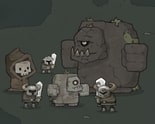
Right-clicking in Right Click to Necromance doesn’t do what most idle-game veterans expect on the first try — no fireworks, just a cracking sound and one bone landing in your counter. That restraint is the whole pitch: a clicker built around bones, where every system grows out of that one unglamorous action repeated until it isn’t necessary anymore.
| Genre | Idle/Incremental Clicker |
| Platform | Browser (HTML5) |
| Core Currency | Bones |
| Core Mechanic | Click for bones, spend bones on a passive-income skeleton army |
The tutorial makes the loop explicit fast: you need bones to raise an army, your total sits in plain view, and the first goal is clicking until you’ve scraped together five. That’s not much — the early clicks teach the rhythm before the game automates it.
What beginners get wrong is treating that manual phase as the whole game. It’s a bootstrap, not the destination. Once you’ve got bones for your first unit, every click after is funding the next purchase or covering the gap.
Right Click to Necromance structures its army in three tiers, and the price gap between them is where the game gets interesting. A Digger costs a modest 10 bones, cheap enough that new players buy two or three in their first minute. A Warrior costs 500 bones, forcing you to sit with your Diggers running a while. A Wizard costs 25,000 bones, and by then the whole economy has changed shape underneath you.
That escalation is deliberate, and it’s the thing players bring up most in discussion threads — the jump from Warrior to Wizard specifically is called out as where the game stops being a quick diversion and starts asking for real patience.
Early on, a single Digger barely outpaces manual clicking, and that’s intentional. The early upgrade that doubles bone generation is the real turning point beginners underrate; skipping it to save toward a Warrior directly usually slows a run down.
Once a handful of Diggers are running with that multiplier in place, the curve bends noticeably. This is roughly where the game stops feeling like clicking practice and starts feeling like the idle genre it’s built around.
The 10-to-500-to-25,000 jump isn’t a smooth curve, it’s a set of walls, and that’s the aspect of Right Click to Necromance that splits opinion most. Some players like that each tier feels like a genuine milestone; others find the Warrior-to-Wizard gap punishing enough that the mid-game drags before the payoff arrives.
Completionists grind out every available Digger before touching a Warrior; players chasing a faster Wizard instead reinvest everything immediately and accept a rougher middle stretch to reach the top tier sooner.
Right Click to Necromance never dresses up what it’s doing; it’s bones in, skeletons out, with just enough cost curve between Digger, Warrior, and Wizard to make each purchase feel earned — always one more tier between your bone count and the army you’re building.
